Does GeForce Experience lower FPS?
Compare NVIDIA Overlay, ShadowPlay and Instant Replay under the same conditions.
Read the NVIDIA overlay guideUnderstand what is slowing your PC down. Review a personalized plan, apply supported adjustments and see exactly what changed.
The current Windows app and checkout are in Portuguese. These guides and purchase details are in English.
Automatic renewal until canceled. Automatic key delivery after payment approval. Official updates included.
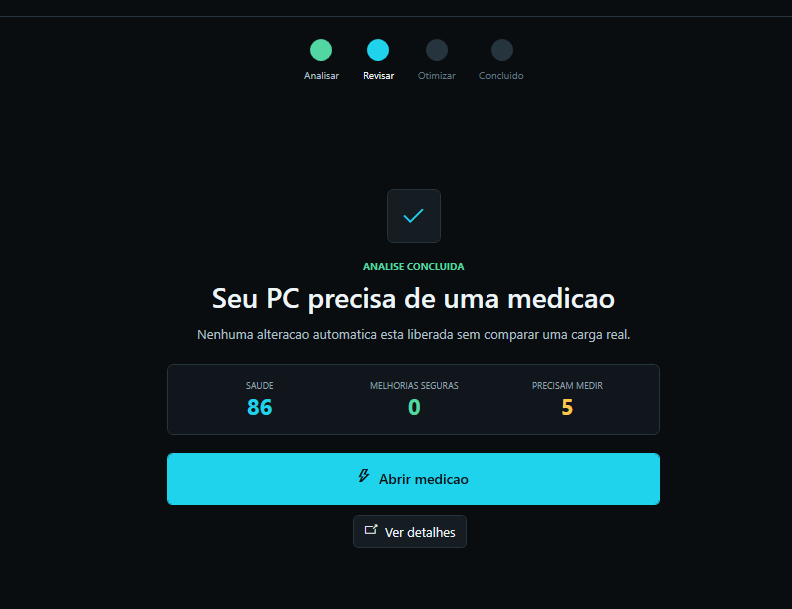
Collect read-only information about Windows settings, memory, storage, startup load and relevant performance signals.
See which corrections are supported and which items still need measurement or human review.
Confirm the available actions. Supported changes save their previous state for rollback.
Review what changed and any restart requirements. Compare the same workload to check performance.
Revisit the diagnosis after Windows or driver updates, new startup apps, overlay changes or recurring stutter. Your subscription includes official app updates.
A changed setting does not prove a performance gain. Some PCs need measurement or hardware attention instead of an automatic adjustment. TIPS35 does not fix faulty hardware or bypass anti-cheat systems.
Free English guides for common overlay questions. Keep the workload consistent and change one setting at a time.
Compare NVIDIA Overlay, ShadowPlay and Instant Replay under the same conditions.
Read the NVIDIA overlay guideCompare the same CS2 scene with Steam Overlay on and off.
Read the Steam Overlay guideR$47 BRL per month for 1 Windows PC. Automatic renewal until canceled, automatic key delivery after approval and official updates. International credit cards; checkout and app in Portuguese.
See plan and payment details